
What Is the SSF Portal in Nepal?
The SSF Portal setup in Nepal is the official online platform managed by the Social Security Fund (SSF) of Nepal. The portal allows employers and employees to register, manage contributions, access benefits, and track their social security accounts digitally.
The Social Security Fund of Nepal operates under the Social Security Act, 2074 (2017) and the Contribution Based Social Security Regulations, 2075 (2018). The SSF portal is hosted at https://ssf.gov.np and serves as the central digital interface for all social security-related transactions in Nepal.
The SSF was formally established to provide financial protection to workers in Nepal through a structured contribution-based system. Both employers and employees contribute a fixed percentage of the basic salary to the fund each month. The portal enables all these processes to happen in a transparent and structured manner.
Why Is the SSF Portal Setup Necessary?
The SSF Portal setup is a legal requirement under Nepali law. According to Section 5 of the Social Security Act, 2074, every employer operating a business in Nepal with one or more employees must register with the Social Security Fund. Failure to register can result in penalties and legal action.
The portal setup is necessary for the following reasons:
- It enables employers to fulfill their mandatory legal obligations under the Social Security Act, 2074.
- It allows employees to enroll in the four primary social security schemes offered by SSF.
- It provides a digital record of all contributions made by both the employer and the employee.
- It facilitates the claim and benefit disbursement process for eligible contributors.
- It ensures compliance with the Labour Act, 2074 (2017) which requires social security enrollment.
What Are the Social Security Schemes Under SSF Nepal?
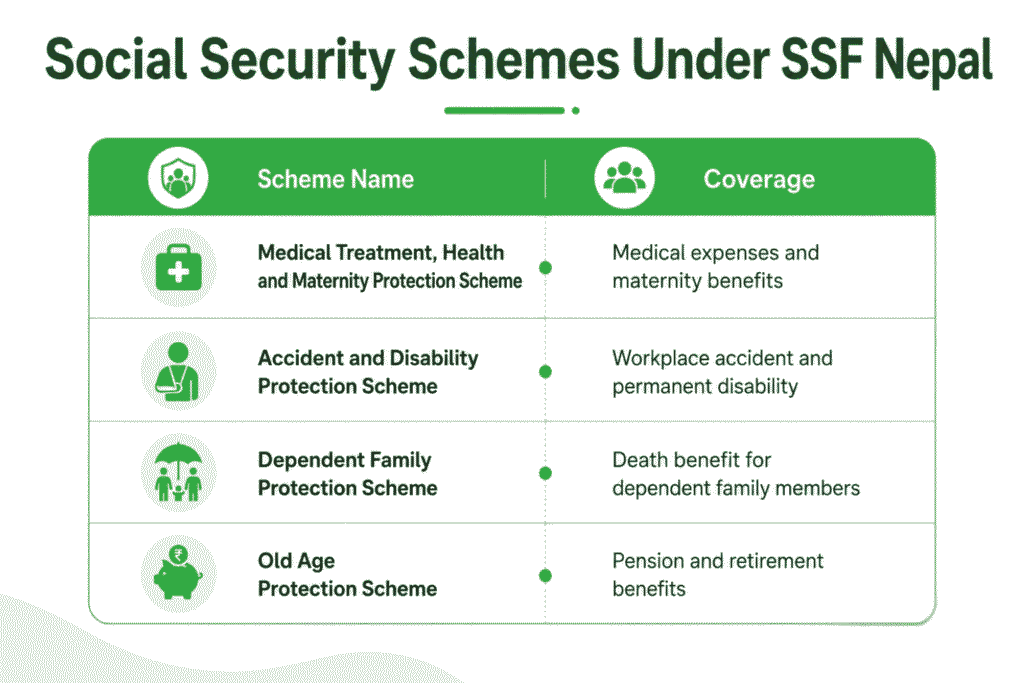
The Social Security Fund Nepal offers four major contribution-based schemes. These schemes are defined under Schedule 1 of the Contribution Based Social Security Regulations, 2075.
| Scheme Name | Coverage |
|---|---|
| Medical Treatment, Health and Maternity Protection Scheme | Medical expenses and maternity benefits |
| Accident and Disability Protection Scheme | Workplace accident and permanent disability |
| Dependent Family Protection Scheme | Death benefit for dependent family members |
| Old Age Protection Scheme | Pension and retirement benefits |
The total contribution rate under these four schemes is 31% of the basic salary. The employer contributes 20% and the employee contributes 11% of the basic salary every month.
Who Must Register on the SSF Portal?
Under Section 5 of the Social Security Act, 2074, the following entities must register on the SSF portal:
- All private sector employers operating in Nepal with at least one employee.
- Cooperative organizations employing workers on a regular basis.
- Non-governmental organizations (NGOs) and international NGOs with Nepali employees.
- Contractual and sub-contractual firms operating within the country.
- Foreign companies registered in Nepal under the Company Act, 2063.
Employees working in the formal sector, whether Nepali nationals or foreign nationals employed in Nepal, must be registered on the SSF portal by their employer.
What Documents Are Required for SSF Portal Setup?
For Employer Registration
The following documents are required for employer registration on the SSF portal:
- PAN Certificate (Permanent Account Number) issued by the Inland Revenue Department
- Company Registration Certificate from the Office of Company Registrar or relevant authority
- Tax Clearance Certificate (for existing businesses)
- Labour Audit Report (if applicable)
- Bank Account Details of the company
- Authorized Signatory’s Citizenship Certificate
- Office Address Proof (utility bill or rent agreement)
- Board Resolution authorizing a person for SSF registration (for companies)
For Employee Registration
- Citizenship Certificate of the employee
- Employee’s Personal Details (name, date of birth, address)
- Bank Account Details of the employee
- Photograph of the employee
- Employment Contract or Appointment Letter
How to Set Up the SSF Portal: Step-by-Step Process
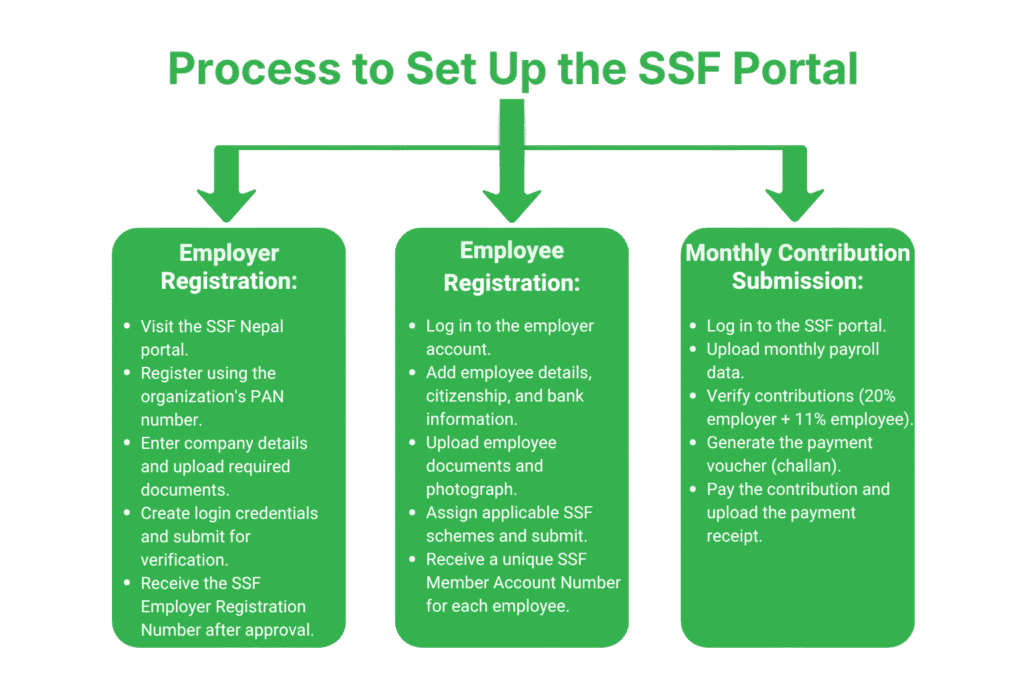
Step 1: Employer Registration on the SSF Portal
The employer must first create an account on the SSF portal before enrolling employees.
- Visit the official SSF Nepal portal at https://ssf.gov.np.
- Click on the (Employer Registration) option on the homepage.
- Enter the PAN Number of the organization.
- Fill in the employer’s basic information including the name of the organization, address, type of business, and number of employees.
- Upload the required documents including the registration certificate and PAN certificate.
- Set a username and password for the employer account.
- Submit the form and wait for verification from the SSF office.
- Upon successful verification, the employer receives an SSF Employer Registration Number.
Step 2: Employee Registration by the Employer
Once the employer account is activated, the employer must register all employees:
- Log in to the SSF portal using the employer credentials.
- Go to the (Add Employee) section.
- Enter each employee’s personal details, citizenship number, and bank account details.
- Upload the employee’s citizenship certificate and photograph.
- Assign each employee to one or more of the four social security schemes.
- Submit the employee registration form.
- Each registered employee receives a unique SSF Member Account Number.
Step 3: Monthly Contribution Upload
- Log in to the employer account on the SSF portal.
- Navigate to the (Contribution Details) section.
- Upload the monthly payroll sheet in the prescribed Excel format.
- Verify the contribution amounts (20% employer + 11% employee) for each employee.
- Generate the challan (payment voucher) from the portal.
- Pay the contribution amount via online banking or through designated banks.
- Upload the payment receipt on the portal for record-keeping.
What Is the SSF Contribution Rate in Nepal?
The SSF contribution rate is defined under Rule 17 of the Contribution Based Social Security Regulations, 2075. The total contribution rate is 31% of the basic salary of the employee.
| Contributor | Contribution Rate |
|---|---|
| Employer Contribution | 20% of Basic Salary |
| Employee Contribution | 11% of Basic Salary |
| Total Contribution | 31% of Basic Salary |
Note: The “basic salary” for SSF purposes does not include allowances, overtime, or other non-basic components unless specified otherwise by the employer’s HR policy or employment contract.
What Are the Penalties for Non-Compliance?
Under Section 52 of the Social Security Act, 2074, employers who fail to register or contribute to the SSF are liable to the following penalties:
- A fine equivalent to double the unpaid contribution amount for failing to deposit contributions on time.
- Interest at 10% per annum on the outstanding unpaid contribution amount.
- Legal action and prosecution under the Social Security Act, 2074.
- Possible suspension of business license in coordination with the relevant regulatory authority.
- Non-compliant employers may also face penalties under the Labour Act, 2074 which requires employers to comply with all statutory deductions.
What Benefits Do Employees Receive from SSF Nepal?
Registered SSF contributors and their dependent families are entitled to the following benefits as prescribed under the Social Security Act, 2074 and the Contribution Based Social Security Regulations, 2075:
- Medical Treatment Benefits: Full or partial reimbursement of medical expenses for hospitalization, surgery, and outpatient treatment.
- Maternity Benefits: Paid leave and financial support for female employees during maternity.
- Accident Benefits: Compensation for workplace accidents and occupational diseases.
- Disability Benefits: Monthly allowance for contributors with permanent disability due to work-related accidents.
- Dependent Family Benefits: Lump sum or monthly financial support to the dependent family of a deceased contributor.
- Old Age Pension: Monthly pension after reaching retirement age (60 years) after contributing for the minimum required period.
How to Access the SSF Portal for Employee Self-Service?
Employees registered under the SSF can access their individual account on the SSF portal at https://ssf.gov.np. Through the employee self-service portal, registered members can:
- Check their SSF account balance and contribution history.
- Download their SSF membership card.
- Track the status of claims filed for medical, accident, or maternity benefits.
- Update personal details and bank account information.
- View the contribution made by their employer on their behalf each month.
Common Issues During SSF Portal Setup
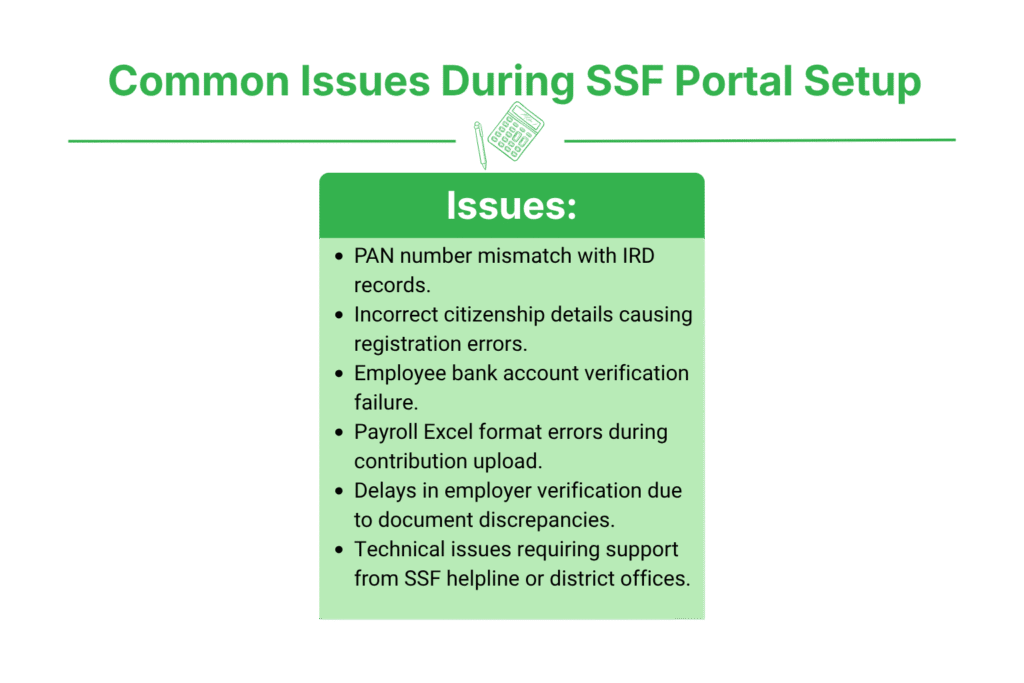
Several employers face technical or procedural challenges during the SSF portal setup process. The most common issues include:
- PAN number mismatch between the IRD database and the SSF system.
- Incorrect employee citizenship number causing registration failure.
- Bank account verification failure during employee enrollment.
- Payroll format errors when uploading the monthly contribution Excel file.
- Delayed employer verification due to document discrepancies.
Employers facing technical issues can contact the SSF helpline or visit the nearest SSF District Office for assistance. The SSF has offices in Kathmandu, Pokhara, Biratnagar, Bharatpur, Butwal, and other major cities.
SSF Portal and Foreign Employers in Nepal
Foreign companies registered in Nepal and operating with Nepali employees are equally obligated under the Social Security Act, 2074 to register on the SSF portal. Under Section 6 of the Social Security Act, 2074, the obligation applies to all employers regardless of the nationality of the employer. Foreign nationals employed in Nepal may also be enrolled in the SSF system depending on the bilateral social security agreements Nepal has with other countries.
FAQs
1. What is the official website of the SSF Portal in Nepal?
The official SSF portal is available at https://ssf.gov.np. Employers and employees can register, manage contributions, and access benefits through this portal as per the Social Security Act, 2074.
2. Is SSF registration mandatory for all employers in Nepal?
Yes. Under Section 5 of the Social Security Act, 2074, all employers with one or more employees in Nepal must register on the SSF portal without exception, regardless of company size.
3. What is the SSF contribution rate in Nepal?
The total SSF contribution rate is 31% of the basic salary. The employer pays 20% and the employee pays 11% of the basic salary every month as per Regulation 17 of the SSR, 2075.
4. Can employees register themselves on the SSF portal?
No. Employee registration on the SSF portal is done by the employer. The employer adds employees to the system through their employer account and assigns them to the relevant social security schemes.
5. What happens if an employer delays SSF contribution payment?
Under Section 52 of the Social Security Act, 2074, a fine equal to double the unpaid amount and 10% annual interest applies. Continued non-compliance may result in legal action and business penalties.
6. How long does the SSF employer registration process take?
The SSF employer registration process typically takes 3 to 7 working days after submitting all required documents. The SSF office verifies the documents before issuing the employer registration number.
Conclusion
The SSF Portal setup in Nepal is a mandatory legal process governed by the Social Security Act, 2074 and the Contribution Based Social Security Regulations, 2075. Every employer in Nepal must register on the portal at https://ssf.gov.np, enroll all employees, and deposit monthly contributions of 31% of basic salary. The SSF system provides workers with financial protection through medical, maternity, accident, disability, and old age pension benefits. Timely and accurate portal setup ensures legal compliance and protects both employer and employee interests under Nepali law.